
You’ve listed a property on Prop Listing for R99. Now you have a permanent, searchable page with a WhatsApp enquiry button. But how do you get buyers to actually see it?
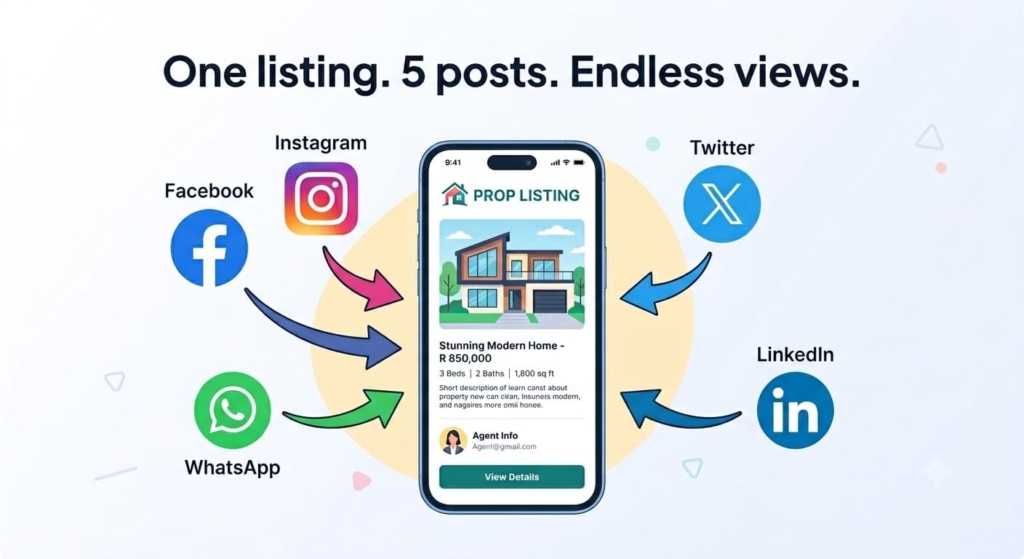
The answer isn’t posting the same link over and over. It’s repurposing – turning one listing into multiple pieces of social media content that all point back to your Prop Listing page. This keeps your audience engaged and drives more views without extra cost.
Why Repurposing Works
Most agents post the same property once on Facebook or WhatsApp status, then wait for miracles. But serious buyers scroll at different times, on different platforms, and in different moods.
By creating 5 different posts from one listing, you:
· Reach buyers who missed the first post
· Test which type of content gets the most clicks
· Build a consistent presence without creating new content from scratch every day
· Drive more traffic to your Prop Listing page (where the WhatsApp button lives)
Best of all, you already have all the ingredients – photos, description, price, and your Prop Listing link.
The 5 Post Formula
Here’s how to turn one property into five distinct social media posts.
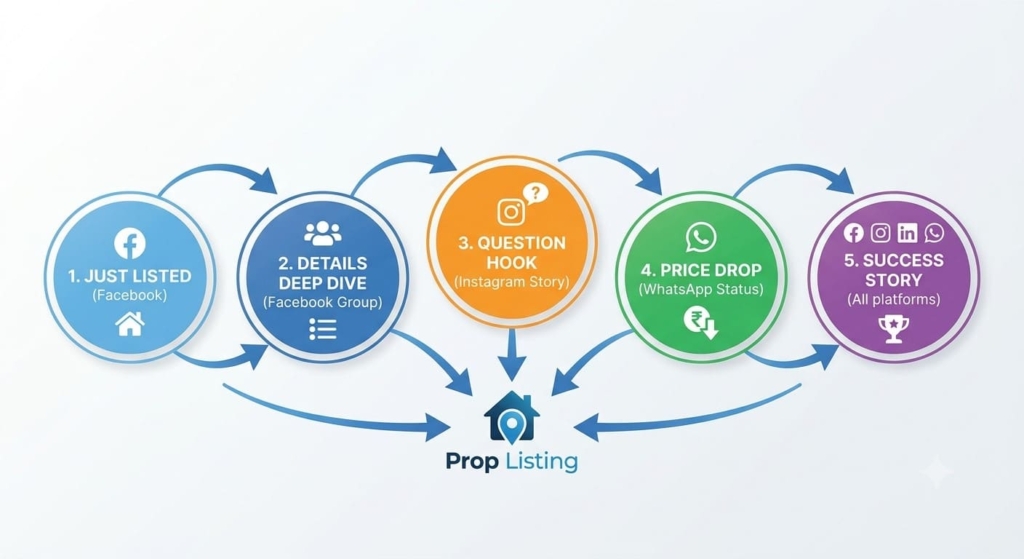
Post 1: The “Just Listed” Announcement (Facebook & Instagram Feed)
What to post: The best photo of the property + the Prop Listing link.
Caption:
“Just listed! 🏠 3-bedroom home in Mamelodi with a garden and parking. Tap the link for full details, more photos, and to message me directly on WhatsApp.”
👉 [Insert Prop Listing link]
Why it works: Simple, direct, tells buyers exactly what to do.
Post 2: The “Details Deep Dive” (Facebook Group or LinkedIn)
What to post: A carousel of 3–5 photos (same ones from Prop Listing) + the link in the first comment or caption.
Caption:
“Looking for a home in Soweto? Here’s everything you need to know about this 2-bedroom unit:
✅ Price: R650,000
✅ 2 bedrooms, 1 bathroom
✅ Pre-paid electricity
✅ Close to schools and taxis
Full details and WhatsApp enquiry here 👉 [Insert Prop Listing link]”
Why it works: Buyers in Facebook groups want quick facts. Give them the highlights, then send them to your Prop Listing page for the rest.
Post 3: The “Question Hook” (Instagram Stories)
What to post: A single photo with a question sticker.
Text overlay on photo:
“Would you rent this 1-bedroom flat in Pretoria for R4,500/month? Tap the link to see inside and message me.”
How to add the link: Use the Instagram Stories link sticker to attach your Prop Listing URL.
Why it works: Questions drive engagement. Even people who don’t click may save the post or share it.
Post 4: The “Price Drop / Fresh Update” (WhatsApp Status)
What to post: A short video walkthrough (15 seconds) + your Prop Listing link in the status text.
Status text:
“🌿 Update: This property just reduced to R850k. Link has all photos and WhatsApp enquiry button – tap to view.”
Why it works: WhatsApp Status feels urgent. “Update” signals something changed, making people more likely to click.
Post 5: The “Sold / Rented Success” (All Platforms – After the Deal)
What to post: A celebratory graphic or photo with the final result.
Caption:
“✅ Another happy buyer! This 3-bedroom in Tembisa sold within 2 weeks of listing on Prop Listing. Want your property to be next? Create your free agent profile and list for R99. Link in bio.”
Why it works: Social proof builds trust. Future sellers see that you actually close deals.
Pro Tips to Maximise Clicks
· Always include the Prop Listing link – Make it clickable and obvious. Don’t hide it in the middle of a paragraph.
· Use a call to action – “Tap the link,” “Click for details,” “Message me on WhatsApp via the link.”
· Track your views – Log into your Prop Listing dashboard and see which posts drive the most traffic. Double down on what works.
· Space out your posts – Don’t post all 5 in one day. Spread them over 5–7 days to catch different audiences.
· Add emojis and line breaks – Social media is visual. Make your captions easy to scan.
Your 5-Minute Workflow
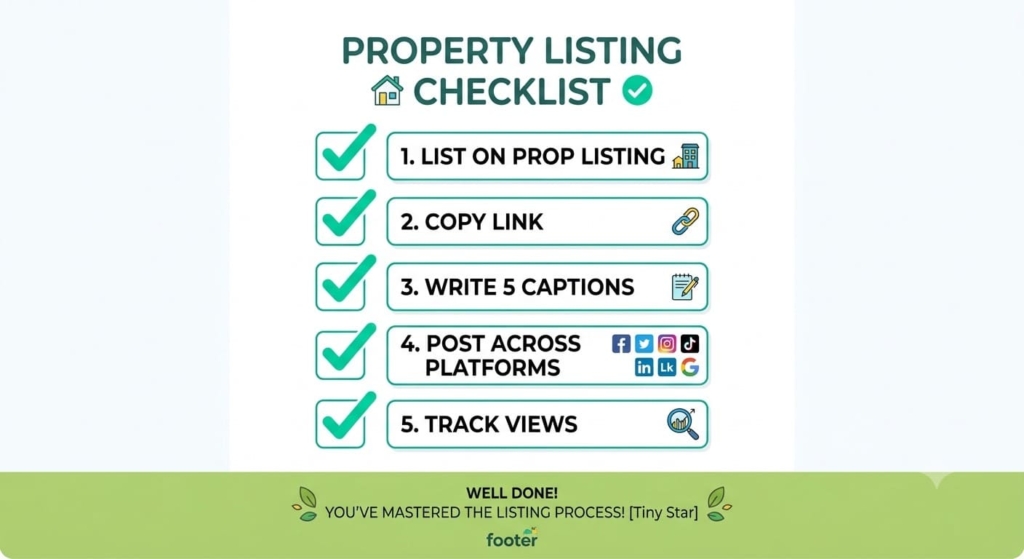
- List the property on Prop Listing (R99) – get your unique link.
- Copy the link and your best photo.
- Write the 5 captions (use the templates above – just swap in your property details).
- Schedule or post them over the next week.
- Check your Prop Listing dashboard for views and WhatsApp enquiries.
That’s it. One property, five posts, zero extra design work.